
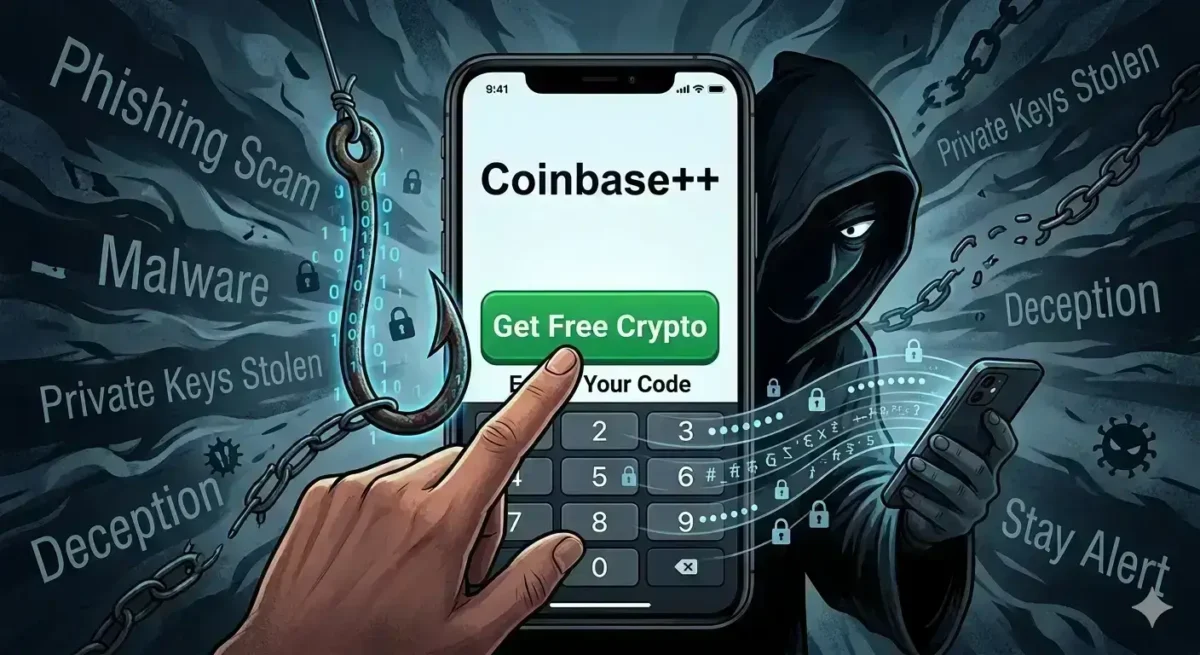
Don’t swallow the bait: Modded crypto apps promise free rewards but deliver total asset theft.
The lure of “free” or “unlocked” features is one of the oldest traps on the internet, and the crypto world is certainly no exception.
Recently, many traders in the United States have been searching for Coinbase++ (or Coinbase Plus Plus)—a purported “modded” (modified) version of the official Coinbase app circulating online.
Scam networks and deceptive third-party app stores heavily promote Coinbase++ with enticing promises: zero trading fees, unlocked advanced charting tools, and even “glitch-based” free crypto rewards.
If you are a retail investor looking to maximize your gains, a modified app that bypasses exchange fees might sound like the ultimate financial hack.
But Web3 follows a strict, unwritten rule: If a tool is completely free, you usually end up paying for it with your private keys.
As a crypto security advocate, my job is to expose the reality hidden beneath these digital shortcuts. In this detailed review, we will dissect what Coinbase++ actually is, how these modded apps operate on the backend, and the severe security risks they pose to your digital assets.
Before you download any third-party APK or trust an unverified profile, let’s look at the bitter truth behind this trending software.
What is Coinbase++ (Coinbase Plus Plus)?
To put it bluntly, Coinbase++ is not an official app.
It is a counterfeit, unauthorized, and modified version of the legitimate Coinbase application, engineered entirely by third-party developers or malicious hackers.
You will never find this app on the official Google Play Store or Apple App Store.
Instead, it is distributed across shady websites, rogue social media groups, Telegram channels, and unverified third-party APK links.
While the user interface is meticulously designed to mirror the authentic Coinbase app to gain your trust, its backend code is entirely altered.
The sole purpose behind this modification is to compromise your account, log your credentials, and steal your seed phrases or private keys.
The Promise of Modded Crypto Apps
Why do investors continue to fall into these traps despite the risks?
The answer lies in the aggressive marketing tactics used to promote these modded apps.
Here is how scammers entice everyday users:
- Free Crypto Rewards: Scammers claim that using Coinbase++ grants access to exclusive airdrops, daily bonuses, or high-value crypto tokens immediately upon sign-up.
- No-Fee Trading (Zero Transaction Fees): Since legitimate exchanges charge standard maker/taker or transaction fees, these modded apps promise absolute zero-fee trading to bypass those costs entirely.
- Advanced UI & Premium Features: They claim to offer advanced charting, institutional-grade pro-trading tools, and premium features like ‘Coinbase One’ without requiring the official monthly subscription fee.
⚠️ Red Flag: How Scammers Play the Game Crypto security is completely compromised the moment you interact with these platforms. Scammers typically employ three major deceptive tactics under the guise of these apps:
1.Fake Alerts and Phishing Emails: Scammers often send spoofed emails from addresses mimicking [email protected], claiming “your password has changed” or “your account is locked” to trick you into entering credentials on fake login portals.
2.The Free Subscription Trap: Fake promotional links offering a free 1-year ‘Coinbase One’ subscription are widely circulated. The moment a user logs in, their credentials are leaked.
3. Counterfeit Crypto Assets: These malicious apps often manipulate visual balances, displaying massive amounts of fake tokens in your wallet. While it looks like you have struck it rich, these are dummy figures that can never be sold, transferred, or redeemed.
Hidden Dangers of Downloading the Coinbase++ APK
Understanding Keyloggers
A keylogger (or keystroke logger) is a form of malicious software (malware) or a physical hardware device designed to monitor your activity. A keylogger operates exactly like a digital spy.[User Types Passwords/Keys] ➔ [Keylogger Captures Keystrokes] ➔ [Sent to Command & Control Server] ➔ [Hacker Accesses Crypto Wallet]
- Silent Tracking: The moment it enters your device, it quietly records every single keystroke you press.
- Data Exfiltration: It covertly bundles your sensitive information and routes it to a malicious Command-and-Control (C&C) server managed by hackers.
- Targeted Theft: Cybercriminals analyze these recorded keystrokes to extract usernames, passwords, and seed phrases, granting them total access to your secure wallets and banking systems.
Note: To compromise a user, a hacker must first successfully execute and install the keylogger payload onto the target device.
Scammers aren’t just targeting Android users; they are now deploying advanced redirection techniques to compromise iPhone (iOS) users as well:
1.Malicious Redirection: While browsing insecure or compromised sites, the user is automatically redirected to a secondary webpage without their consent.
2.The App Store Illusion: The destination page is styled to look identical to the official Apple App Store, tricking the user into dropping their guard.
3. Forced Malware Installation: This clone page pressures the user into installing a critical “update” or “app,” which is actually a phishing configuration profile or spyware package.
What is Spear Phishing?
Spear phishing remains one of the primary vectors used by hackers to distribute malware and keyloggers.
- Highly Targeted Attacks: Unlike broad phishing campaigns, spear phishing targets specific individuals using customized information to make the communications appear highly personal.
- Flawless Deception: The emails, messages, or links look entirely legitimate and appear to come from trusted entities or companies you do business with.
- The Infection: The moment a user opens an attached file or clicks a malicious link, the keylogger or malware installs silently in the background without any visible warning signs.
How to Protect Your Device from Keyloggers
To safeguard your personal data and secure your crypto assets against sophisticated keylogging attempts, strictly implement the following security practices:
- Deploy Robust Anti-Malware: Maintain a trusted, premium anti-virus and anti-malware solution on both your desktop and mobile devices. Ensure real-time scanning and behavioral protection are permanently enabled.
- Evade Unfamiliar Links and Emails: In line with spear phishing defenses, never click on unexpected links or download attachments from unknown, unverified emails or social media messages.
- Enforce Two-Factor Authentication (2FA) & Passkeys: Enable robust 2FA (ideally via hardware keys or authenticator apps rather than SMS) or [Passkeys] across all critical accounts. Even if a keylogger captures your password, hackers cannot gain entry without the secondary, time-sensitive code or biometric verification.
- Utilize Virtual On-Screen Keyboards: When accessing highly sensitive interfaces like online banking or crypto account settings, use the system’s native on-screen virtual keyboard. This minimizes the risk of physical hardware or standard software keystroke tracking.
- Keep Software Consistently Updated: Regularly update your Operating System (OS), applications, and web browsers with the latest security patches to close vulnerabilities before hackers can exploit them.
- Exercise Extreme Caution on Public Hardware: Avoid logging into personal emails, net banking, or crypto exchanges on public computers (like those in cybercafes). These devices carry the highest risk of hosting pre-installed hardware or software keyloggers.
Signs of a Keylogger Infection
If a keylogger has compromised your device, you may notice the following indicators:
- Input Latency (Lagging): A noticeable delay between pressing a physical key and the character appearing on your screen.
- Erratic Background Activity: Unauthorized browser tabs opening unexpectedly or unfamiliar background processes consuming resources.
- Performance Degradation & Overheating: The device slows down significantly or runs unusually hot due to the hidden malware strain processing data in the background.
- Spike in Data Usage: A sudden, unexplainable inflation in internet data consumption as the malware continuously exfiltrates logs to the hacker’s remote server.
Identifying and Avoiding Fake Crypto Apps: A Comprehensive Security Guide
A single oversight when downloading a crypto wallet or exchange app can compromise your entire life savings. Before trusting any app, thoroughly audit these critical technical factors directly on the App Store or Google Play Store:
1. App Info Audit
- Review the “About This App” Section: Carefully read the comprehensive details, developer background, and documentation listed in the store.
- Check Version and Update History: Check the current version of the application. Established crypto brands update their platforms frequently to patch bugs and enhance security. If an app has not been updated in months or sits at an initial version (like v1.0), treat it with suspicion.
- Verify the Release Date: Fraudulent apps are often spun up quickly in response to market trends. If a supposedly world-famous crypto service lists an app that was released only a few days or weeks ago, it is an undeniable scam.
2. App Store Metrics: Downloads and Reviews
Scammers can clone a visual interface, but they cannot easily forge verified app store metrics:
- Total Downloads Volume: Legitimate, institutional crypto apps boast millions of verified downloads. If an app claiming to represent a massive brand only has a few hundred or a few thousand downloads, do not install it.
- Deep Review & Rating Analysis: Look past the overall star rating and read individual user reviews. If you see repeated warnings like “Scam,” “Fake App,” or “Withdrawal Issues”—or if the praise looks entirely uniform and bot-generated—steer clear.
- Age & Content Rating: Check the official age rating and target audience credentials assigned to the software.
3. Developer Authentication
- Verify the “Offered By” Field: Meticulously check the exact spelling of the company or developer offering the download. Scammers frequently utilize typosquatting (e.g., listing Binanance instead of Binance) to deceive hurried users.
- Look for Verified Badges: Ensure the application carries the official verification checkmarks or Google Play Protect certifications. Always navigate to the app store directly via the links provided on the official, verified website of the service provider.
- Analyze Download Size: Legitimate crypto exchanges and enterprise wallets carry robust architectures and features, resulting in standard, optimized file sizes. If an app claiming to be a full-scale exchange platform is suspiciously small (e.g., 2–3 MB), it is likely a malicious phishing shell designed to harvest data.
Bypassing High Fees Safely: The Legitimate Path
You do not need to risk your security to access lower trading fees and professional tools. Trusted platforms offer built-in, legitimate infrastructure to optimize your trading costs.
Coinbase Advanced Fees
If you want to cut down on costs, skip the modded apps and use the official Coinbase Advanced interface. Coinbase Advanced features a tier-based fee architecture structured around your cumulative 30-day trading volume. Fees are categorized based on order type to manage liquidity:
- Maker Orders: Orders that provide liquidity to the order book.
- Taker Orders: Orders that remove liquidity from the order book.Note: Your specific fee tier is dynamically evaluated and updated every hour based on your ongoing USD rolling trading volume.
| Trading Volume Tier (30-day Rolling) | Maker Fee | Taker Fee |
| Dynamic Tiers Apply | Lower fees for providing liquidity | Standard fees for immediate market execution |
Understanding Maker and Taker Orders
- Taker Orders: An order that executes instantly at the current market price. Examples include standard Market Orders or an Immediate Limit Order that matches right away. These orders incur a taker fee.
- Maker Orders: An order that does not match immediately against an existing order on the book, thereby adding liquidity. An example is a Buy Limit Order placed below the current market price. These sit in the order book and incur a lower maker fee once matched.
- Partially Matched Orders: If an order matches only partially upon submission:
- The portion that fills immediately is charged a taker fee.
- The remaining portion rests in the order book and is charged a maker fee when eventually filled.
Fee Calculation Logic
Coinbase calculates fees based on the aggregate USD volume across all order books over the trailing 30-day period. For any transactions executed in non-USD pairs, the platform automatically converts the volume to USD utilizing the most recent fill price of that asset.
Conclusion: Security is Your Greatest Profit
The harsh reality behind third-party, modified applications like Coinbase++ is that there is no free lunch in crypto. The alluring promises of zero trading fees, unlocked premium features, and effortless crypto rewards are simply digital illusions designed to trap your funds.
Key Takeaways to Remember:
- Severe Security Risks: These apps are banned from official app stores for a reason. Downloading them from unverified sources means intentionally giving keyloggers, spyware, and malware an open door to your device—giving hackers immediate access to your seed phrases.
- Fabricated Metrics: The staggering balances and free tokens displayed inside these modded versions are nothing more than a visual illusion. You will never be allowed to withdraw, trade, or redeem them.
- Safe Alternatives Exist: If you want premium features and optimized fee structures, do not risk your identity on unverified software. Use official platforms like Coinbase Advanced. By mastering maker/taker dynamics and leveraging your 30-day trading volume, you can lower your costs legally and securely.
Final Warning: In the crypto ecosystem, your greatest asset isn’t your portfolio balance—it’s your vigilance.
Before downloading any application, always audit its downloads, user reviews, and developer credentials.
Do not risk your entire life savings for the sake of a third-party APK. Stay safe, stay vigilant, and stick exclusively to official apps.
Disclaimer
Educational and Informational Purposes Only: This review is strictly for cybersecurity awareness, educational purposes, and informational utility. The content is designed to help users identify potential digital threats, phishing networks, and malware risks; it is not intended to defame any legitimate brand or platform.
*Not Financial Advice: The information provided in this article does not constitute financial, investment, or legal advice. Cryptocurrency trading and investing in digital assets involve a high degree of risk and market volatility. Always consult with a certified financial advisor before making any investment decisions.
Third-Party Software Risk: The author and this website do not recommend, endorse, or promote the downloading or usage of modified (modded), unofficial, or unverified third-party applications. Utilizing such software can lead to severe security breaches, data theft, and irreversible financial loss. Always stick exclusively to official app stores (Google Play Store / Apple App Store) and verified domain links.